
Creating engaging video content is a powerful way to capture attention and communicate messages clearly. For many marketers, founders, and creators, producing presenter-led videos often feels complex and time-consuming. Fortunately, tools like Synthesia simplify this process, enabling anyone to create professional-quality presenter videos without needing advanced production skills or expensive equipment.
Streamlined Video Creation Without Traditional Production Hassles
One of the biggest challenges in video creation is the need for a camera, lighting setup, and a presenter comfortable on camera. Synthesia eliminates these obstacles by offering a platform where you can craft videos featuring digital presenters who deliver your message with natural, human-like expressions.
- Simply input your script and select a presenter style.
- No physical filming is required, saving time and reducing costs.
- Customize backgrounds, text overlays, and branding within the platform.
This makes Synthesia particularly useful for producing training videos, product demos, or marketing pitches efficiently.
User-Friendly Interface Designed for Non-Experts
You don’t need technical or video editing skills to start creating with Synthesia. The platform offers an intuitive, web-based interface that guides users through the process step-by-step. It streamlines everything from script input to video rendering.
- Drag-and-drop controls simplify layout and design choices.
- On-screen prompts help users adjust speech pace and tone to match their brand voice.
- Integrated text-to-video workflow minimizes the learning curve, even for newcomers.
As a result, non-developers, marketers, and startup founders can quickly bring their ideas to life without needing specialized help.
Wide Range of Available Presenter Avatars and Languages
Synthesia makes it easy to create tailored content with a variety of digital presenters representing diverse appearances, genders, and ethnicities. This ensures your videos can resonate well with your target audience.
- Choose from over 60 avatars, catering to different industries and styles.
- Supports more than 60 languages and accents, making content accessible globally.
- The ability to switch presenters and languages within the same project is useful for international campaigns.
This versatility helps brands maintain consistency while connecting authentically with diverse audiences.
Efficient Workflow for Iteration and Collaboration
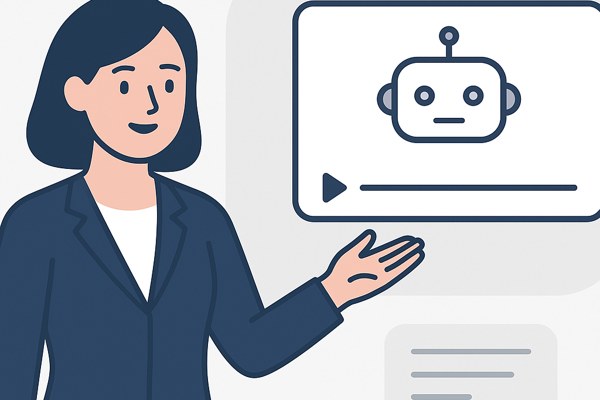
In many production environments, revising videos involves lengthy re-shoots or re-edits. Synthesia speeds up this process with easy editing and collaboration features that let you update text or switch presenters without starting over.
- Quick script edits automatically generate new presenter footage.
- Team sharing options allow review and feedback directly within the platform.
- Download and export videos in multiple formats ready for any marketing channel.
These features are ideal for growing teams or agencies needing to move fast while maintaining quality.
Checklist for Using Synthesia Effectively
- Prepare a clear, concise script tailored to your audience.
- Select a presenter avatar that aligns with your brand voice and audience.
- Customize backgrounds and add branded elements to reinforce identity.
- Choose appropriate language and accent to maximize reach.
- Review and share drafts with your team for input before finalizing.
- Export videos optimized for the intended platform or use case.
Conclusion and Next Steps
For marketers, entrepreneurs, and creators seeking an easier way to produce polished presenter videos, Synthesia offers a practical and cost-effective solution. Its combination of user-friendly workflows, diverse presenter options, and quick iteration features makes it possible to deliver compelling video content with minimal resources.
Ready to upgrade your video content strategy? Explore how Synthesia can integrate with your marketing efforts on the AI tools section of Inspire Tech Today. For detailed platform capabilities and getting started tips, visit Synthesia’s official site to learn more and create your first video.