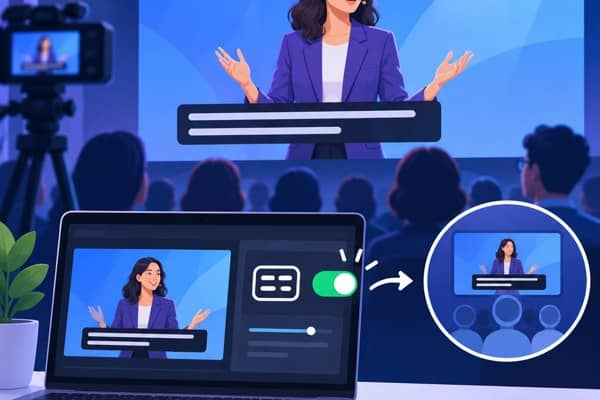
Making your live events and broadcasts accessible and engaging can be a game changer for your audience experience. One powerful way to achieve this is by adding live closed captions. These captions help improve understanding, reach a wider audience including those who are deaf or hard of hearing, and enhance viewer retention during noisy or quiet environments. Stage Captions provides a practical, browser-based solution to effortlessly incorporate real-time captions into your events without complicated setups.
Why Adding Live Captions Matters
Closed captions are more than just subtitles. They play a crucial role in accessibility compliance, making content inclusive for thousands of viewers who rely on text to follow along. Beyond legal and ethical benefits, captions also:
- Improve comprehension, especially for non-native speakers and anyone in noisy surroundings.
- Boost engagement on social platforms where sound might be off by default.
- Provide searchable text for indexing, helping content become more discoverable.
For event organizers, marketers, and founders, implementing live captions ensures your message resonates clearly and broadly, fostering better connection and inclusiveness.
Getting Started with Stage Captions
Stage Captions offers a straightforward way to add live captions directly from your browser, without installing software or complicated hardware. Key highlights include:
- Instant setup: Start captioning live sessions using just your browser, making it easy whether you’re at the office or on the go.
- Low latency caption delivery: Viewers see captions almost in real time, minimizing delays and miscommunications.
- Custom dictionaries: Add industry-specific terms or brand names to improve caption accuracy.
- Presenter dashboard: Control captions, pause, and manage the session seamlessly.
- QR-code viewer access: Attendees can easily access captions on their own devices by scanning a QR code.
- Browser-based output: Integrates smoothly with popular streaming software like OBS Studio and Resolume for professional broadcasts.
You can test out Stage Captions with a free 15-minute trial to see how it works for your format and audience.
How to Use Stage Captions Effectively
To get the most from Stage Captions, consider the following practical tips for any live event or broadcast:
- Prepare your vocabulary: Before the event, upload a custom dictionary with names, jargon, and product terms to reduce transcription errors.
- Test your setup: Run a brief dry run with your team to check latency, visibility, and viewer access via QR codes.
- Train presenters: Encourage speakers to pace their speech clearly and avoid talking over each other to maximize caption accuracy.
- Use the presenter dashboard: Assign someone to monitor captions, making on-the-fly adjustments or pausing during breaks.
- Integrate captions in streams: Use browser source outputs to add captions directly into your live video feed for a unified experience.
- Promote accessibility: Highlight caption availability in your event marketing to attract diverse audiences.
Alternative Options to Consider

While Stage Captions offers a comprehensive package, you might also explore other tools depending on your specific needs:
- CaptionLive provides unlimited captioning sessions for $29 per month, ideal for frequent events or organizations like churches and conferences.
- LiveCaption supports over 65 languages and offers pay-as-you-go pricing at $0.35 per hour, great for multilingual audiences.
- AccessLOOP blends human and AI captioning with no subscription fees, helping you tailor caption styles and accuracy levels.
Evaluate these tools against your event size, language needs, and budget to select the best fit.
Checklist for Seamless Captioning Integration
- Confirm internet stability for browser-based captioning software.
- Create and upload a relevant custom dictionary before the event.
- Assign a team member to monitor the caption feed live.
- Test viewer access via QR codes on multiple devices.
- Include captions in your main video stream through browser outputs.
- Inform your audience about closed captions availability.
Where to Learn More and Next Steps
If you’re ready to boost your event’s accessibility and engagement with live captions, start by exploring Stage Captions’ features and signing up for their free trial to test your specific needs. Learn how to effectively manage event workflows with accessible tools through our productivity guides for practical tips on managing tech solutions.
For more detailed help and resources on live captioning and event accessibility, visit the official Stage Captions website. Making events inclusive has never been easier, so start captioning today and reach every member of your audience.