
In 2026, as project management tools continue to evolve, teams and organizations face a diverse range of options to help them stay organized, collaborate efficiently, and meet deadlines. Basecamp remains a notable player in this space, prized for its simplicity and core project management features. However, with modern tools offering more specialized and visually driven experiences, it’s important to understand where Basecamp stands compared to its competitors and which option fits your needs best.
Basecamp’s Core Strengths: Simplicity and Flat-Rate Pricing
Basecamp’s appeal lies in its straightforward, no-frills approach to project management. It provides essential functionalities such as message boards, task lists, document sharing, group chat, and automatic check-in questions. This simplicity can be a major advantage for teams who want to avoid the complexity of many modern tools. Additionally, Basecamp shifted to a flat-rate pricing model in mid-2026, charging a fixed $299 per month for unlimited users and projects, making it particularly attractive for larger teams looking to control costs.
- Flat $299/month for unlimited users and projects
- 500 GB storage on Plus plan; 5 TB on Pro Unlimited
- Ideal for teams preferring essential features without steep learning curves
- Good for companies managing multiple projects without incremental per-user fees
How Modern Alternatives Stack Up
While Basecamp excels in simplicity, various modern project management platforms are designed to support different workflows and team needs. Here’s a brief rundown of alternatives that cater to specific use cases:
- Asana: Known for its timeline, goal-setting, and workload views, it suits mid-size teams managing many concurrent projects needing clear project roadmaps.
- Monday.com: A visual work operating system that offers customizable dashboards and automation features. It works well for non-technical teams wanting straightforward visual workflows.
- ClickUp: An all-in-one platform combining docs, chats, tasks, and multiple views (list, board, calendar). It offers more advanced features compared to Basecamp but comes with higher complexity.
- Linear: Tailored for product development teams, especially those needing fast issue tracking with GitHub integration.
- Trello: Provides a clean, simple kanban-style card system, making it effective for small teams or projects that require visual task tracking.
Choosing between these tools depends on the team’s size, project complexity, and whether advanced views or integrations are necessary.
Usability and Collaboration Features
Basecamp focuses heavily on ease of use, which makes onboarding quick for new users and helps reduce the friction often caused by tool complexity. Its core features promote straightforward collaboration:
- Centralized message boards for discussions
- Task assignment and simple to-do lists
- Automatic check-ins to maintain regular status updates
- File sharing and document storage integrated into each project
In contrast, tools like ClickUp and Monday.com offer more customizable automations and flexible task views but require a steeper learning curve. Asana offers a structured project timeline that benefits teams needing clearer deadlines and project phases.
Pricing Considerations for Teams of Different Sizes
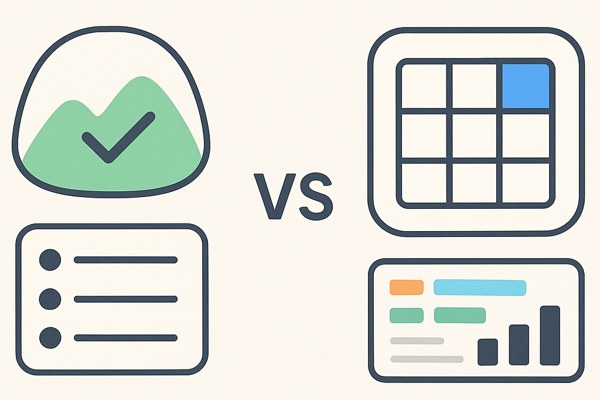
The flat-rate pricing model in Basecamp distinguishes it for large teams who need unlimited seats without escalating costs. Smaller teams or individual users may find the Free plan more restrictive, while the Plus plan at $15 per user per month offers more flexibility for medium teams.
- Basecamp Free: Single user, limited projects—great for individuals or light usage
- Plus plan: $15/user/month with unlimited projects and 500 GB storage—good for small to mid-size teams
- Pro Unlimited: $299/month flat fee for unlimited users and projects—cost-efficient for large teams
Many alternative tools charge per user, so costs can scale quickly with team expansion. For instance, Asana and Monday.com commonly charge on a per-seat basis, which may be more flexible for smaller teams but less predictable for large ones.
Checklist: Choosing the Right Project Management Tool
- Evaluate team size: Are you a small startup or a large organization?
- Identify core needs: Simple task tracking or detailed project planning with timelines?
- Consider collaboration style: Do you prefer threaded discussions (Basecamp) or visual dashboards (Monday.com)?
- Budget accordingly: Will flat-rate pricing or per-user charges better suit your financial planning?
- Check integrations: Do you need GitHub support or other developer-centric integrations?
- Test the user interface: Try free plans or demos to assess ease of use and adoption speed.
Conclusion: Finding Your Best Fit
Basecamp remains a strong contender in 2026 for teams prioritizing simplicity and predictable costs, especially those managing multiple projects without needing highly customized workflows or visualizations. Its flat-rate pricing and straightforward interface make it ideal for larger teams looking to avoid escalating expenses as they expand.
However, if your team needs advanced visual project tracking, automation, or developer-focused features, modern alternatives like Asana, Monday.com, and ClickUp offer more specialized capabilities at the cost of a steeper learning curve.
For those interested in broadening productivity beyond project tools, consider exploring other resources on Inspire Tech Today’s productivity section, where you can find guides tailored to app marketing, productivity hacks, and team collaboration techniques.
To learn more about Basecamp’s features and pricing updates directly, visit Basecamp’s official site.