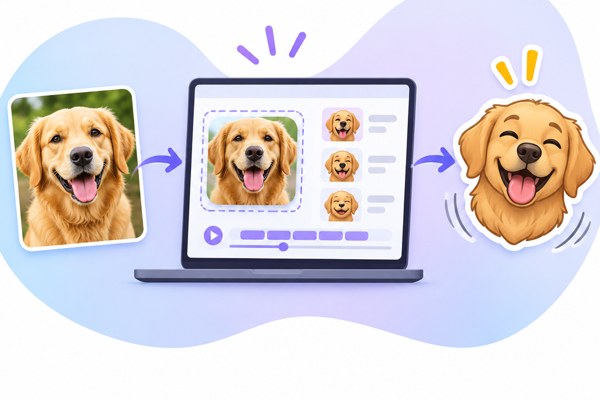
Custom emojis have become an essential tool for adding personality and expressiveness to chats and streams across platforms like Discord, Slack, Teams, and Twitch. Creating your own animated emojis from regular images can boost engagement, improve communication, and even support brand identity. Fortunately, tools such as EmojiCreator.ai simplify this process, making it accessible for non-developers, marketers, and founders looking to enhance their digital interactions. In this guide, you’ll learn how to turn any image into a vibrant, animated custom emoji quickly and easily.
Getting Started with EmojiCreator.ai
EmojiCreator.ai offers a user-friendly interface designed to convert any uploaded image into an animated emoji with just a few clicks. Here’s what you can expect:
- Simple Upload: Drag and drop or browse to select any JPG, PNG, or GIF image from your files.
- Multiple Animation Effects: Choose from effects such as shake, spin, fire, and party to bring your emoji to life.
- Preview Function: See your emoji animation in real time before finalizing it.
- Download Options: Export your creation as a GIF, compatible with most chat and streaming platforms.
By starting with an existing photo, logo, or illustration, you can create a unique emoji that fits your personality or brand style.
Customizing Your Animated Emoji
Once you upload your image, EmojiCreator.ai lets you enhance it with fun and dynamic effects. Here’s how to get the most out of these options:
- Shake Effect: Adds a jittery motion, perfect for reactions like surprise or excitement.
- Spin Effect: Rotates your emoji smoothly, adding a playful twist to common icons.
- Fire Effect: Infuses your emoji with animated flames, great for expressing intensity or passion.
- Party Effect: Surrounds your emoji with confetti and sparkles, ideal for celebrations and announcements.
You can combine these effects by adjusting settings multiple times, then preview and download the optimized emoji GIF that suits your needs.
Exploring Ready-Made Packs and Alternatives
If you’re looking for inspiration or want to jumpstart your emoji collection, EmojiCreator.ai also provides a library of over 4,000 emoji packs. Popular themes such as Party Parrot and Blob Cat offer ready-made animations that can be used instantly.
For those seeking alternatives with varied features or pricing, consider:
- MakeEmoji, Focused on fast creation of animated emojis from images with a range of animation choices.
- EmoteMaker.ai, Provides AI-powered generation of emotes and emojis, with subscription plans starting at $15 monthly for credits that never expire.
- Mobile Apps, iOS’s Emoji Maker, Avatar Creator and Android’s Emoji Maker: DIY Emoji Merge apps let you create and customize emojis directly from your phone or tablet.
Practical Uses for Custom Animated Emojis
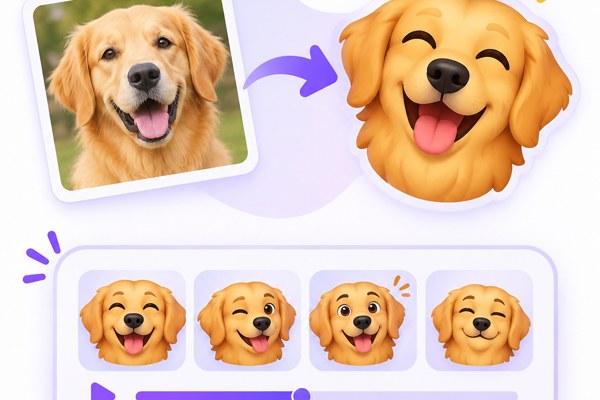
Once you have your animated emojis ready, the possibilities are vast:
- Social Media and Messaging: Spice up conversations, comments, or posts with branded animated emojis that stand out.
- Team Collaboration: Use personalized emojis on Slack or Microsoft Teams to enhance communication and team culture.
- Streaming and Content Creation: Add custom emotes to Twitch or YouTube chats to engage viewers and encourage interaction.
- Marketing Campaigns: Use animated emojis as part of digital campaigns, boosting brand recall and sharing rates.
Checklist for Creating Effective Animated Emojis
- Choose a clear, simple image that works well at small sizes.
- Select animation effects that fit the mood or message you want to convey.
- Preview your emoji in the actual size it will appear in chats or platforms.
- Optimize file size without losing animation quality to ensure fast loading.
- Test emoji compatibility on target platforms like Discord, Slack, or Twitch.
- Consider creating a pack of related emojis for cohesive use.
Next Steps to Start Creating Your Own Animated Emojis
To create your custom animated emoji today, visit EmojiCreator.ai and try uploading an image to experiment with effects. As you get comfortable, explore their library of packs or branch out to alternative platforms listed above to find the best fit for your style and needs.
For guidance on using emojis and other digital communications tools, check out our AI Tools section, where we share tips and reviews on enhancing productivity and engagement with tech.
Animated emojis are a fun, creative way to personalize your digital presence, and with the right tools, you don’t need specialized skills to make them. Give it a try, and watch your conversations and content come alive.