
In today’s digital world, handling PDFs, images, and documents securely without sacrificing convenience is essential for founders, marketers, and anyone looking to boost productivity. Browser-based tools that keep your files private and don’t require uploads to external servers offer a perfect balance of usability and peace of mind. This article highlights five of the best free browser-based tools that protect your data while providing powerful features for managing your files.
Why Choose Browser-Based Tools for File Management?
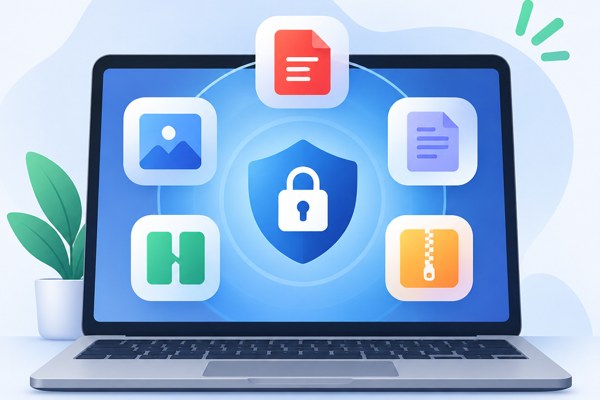
Browser-based tools are incredibly practical because they require no installation, work on any device with internet access, and often come with no cost. More importantly, privacy-focused tools process your files directly in your browser, ensuring sensitive documents never leave your device. This approach minimizes data risks and aligns well with the needs of professionals managing confidential business materials or personal information.
For those actively developing apps or spearheading campaigns, seamless file management without security trade-offs can significantly improve workflow efficiency. You keep full control, save time, and avoid the hassle of setting up complex software.
5 Outstanding Tools That Keep Your Files Private
Filator PDF Tools
Filator offers a versatile range of PDF features such as merging, splitting, compressing, and annotating files, all running directly in your browser. It requires no registration and adds no watermarks, making it ideal for professional uses and quick edits.
By processing files locally, Filator guarantees your documents stay private, which is perfect for anyone needing smooth PDF handling without leaving a digital footprint online.
TeenyPDF
TeenyPDF is a comprehensive PDF toolkit built entirely for browser-based use. It supports common editing tasks and conversion needs while ensuring files stay only on your device throughout the workflow.
This tool is especially useful when working on multiple PDF tasks during app development or marketing content preparation, all without concerns about data leaks or upload delays.
Piqav
Piqav specializes in PDF and image manipulations with zero file uploads or sign-ups. You can compress images, convert between formats, and edit PDFs all within a secure browser environment.
Thanks to this local processing model, marketers and founders can quickly adjust visuals and documents on the fly without worrying about exposing proprietary content.
BrowserPDF
BrowserPDF provides a solid suite of free tools for PDF manipulation, emphasizing privacy by running everything in your browser. It supports editing, organizing, and optimizing PDF files without external file transfers.
This makes it a convenient choice for users handling confidential contracts, proposals, or reports that require fast turnaround with high security.
ToolSnap
ToolSnap offers 26 free online utilities covering OCR, PDFs, images, and even AI-related tools, all accessible without signup or watermarks. Its broad functionality combined with local data handling suits professionals who regularly need diverse file processing capabilities.
Founders and marketers can use ToolSnap for quick document scanning, text extraction, and image editing that streamline productivity without sacrificing privacy.
How to Maximize Your Use of Browser-Based File Tools
- Keep your browser updated: Ensures the best performance and security when using online tools.
- Use secure network connections: Even if the tool doesn’t upload files, always work on trusted networks.
- Combine tools for workflows: For example, compress images with Piqav, then annotate with Filator for professional deliverables.
- Leverage automation where possible: Bookmark or pin your preferred tools for faster access during repetitive tasks.
- Maintain backups: Always keep copies of original files before editing to prevent unexpected loss.
Privacy Checklist for Choosing a Browser-Based Tool
- Processes files locally without uploads
- No sign-up or personal data required
- Does not add watermarks or usage limits
- Offers sufficient features for your tasks without hidden costs
- Runs smoothly on your device without heavy resource demand
- Has transparent privacy policies or open-source code where applicable
Conclusion: Secure and Efficient File Management is Within Reach
Whether you’re managing app documentation, rolling out marketing campaigns, or simply organizing digital assets, using browser-based PDF, image, and document tools that prioritize privacy can simplify your workflow and protect sensitive data. Filator, TeenyPDF, Piqav, BrowserPDF, and ToolSnap stand out as reliable, free options that keep your files on your device while delivering professional-grade functionality.
To deepen your knowledge on productivity tools, explore our productivity category for practical tips, reviews, and how-tos designed for non-developers and builders. For an authoritative overview of PDF management, visit Filator’s expert guide.
Start integrating these browser-based tools into your daily routine to keep your workflow efficient, secure, and hassle-free.